Before you can use the MagnetoGuides plug-in you also have to install our free APID ToolAssistant plug-in.
X
Close
Change History for MagnetoGuides
Loading...
-
WARNING: OLD VERSION
WARNING
This page is for an old version of MagnetoGuides, which is not supported any more. This page is for the benefit of existing users with InDesign 2023 or older. If you are using InDesign 2024 or higher, please visit https://www.rorohiko.com/magnetoguides_pi
-
Goal: Forms Design Assistance
This tool helps anyone who needs to lay out structured, repetitive documents, for example, paper forms. It allows to automatically coordinate adjustments to the positioning and size of multiple page items that are scattered over the layout. Click here to see an on-line demo
-
Installation
Before you start installing, exit out of InDesign.
Please make sure you have a copy of the APID ToolAssistant plug-in installed. Make sure you install the proper plug-in for your version of InDesign since the plug-ins are mutually incompatible. The Windows CS5.x plug-ins also come with an additional folder with a parenthesised name which needs to be copied along.
If you already have an APID ToolAssistant plug-in installed (e.g. because you use one of our other plug-ins), make sure it is up-to-date.
You will be installing two separate, but related software products: MagnetoGuides and APID ToolAssistant. For continued use you only need to purchase a license for MagnetoGuides. It will continue to work even when the APID ToolAssistant demo expires.
i.e You do NOT need to purchase an additional license for APID ToolAssistant.
Copy the MagnetoGuides.spln into the same folder as the APID ToolAssistant plug-in (typically that will be the InDesign Plug-Ins folder). Don’t worry about the icon of the .spln file: it might not be a ‘regular’ icon, and that’s OK.
-
Usage
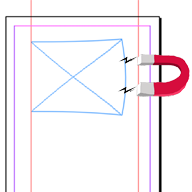
MagnetoGuides allows you to ‘magnetize’ one or more guides. Magnetized guides are special: they push or pull any ‘snapped’ items along when they are moved.
To better understand how these magnetic guides help the design of structured documents, I suggest you work through the cookbook section of the user manual that is included with the downloaded files, or watch the online demo below.
If a page item is ‘snapped to’ a magnetic guide at only one side, then the page item simply moves along when the guide is moved.
If a page item is ‘snapped to’ more than one magnetic guide, then the page item will stretch or shrink as needed so it can stay ‘snapped’ to all magnetic guides.
This allows you to reposition and resize multiple page items concurrently without having to group them.
-
For more complex structures, groups of two or more magnetic guides can be ‘linked’ together – so when one guide of the group moves, all linked guides follow suit (and all attached items get repositioned accordingly).
The simplest linking arrangement uses ‘rigid’ links between the magnetic guides – two guides are simply linked together, and stay at the same distance from each other at all times.
Another common linking arrangement uses ‘stretchy’ links between the guides. When three or more guides are arranged in a stretchy way, and one of the guides is repositioned, the whole linked guide arrangement is stretched or shrunk while respecting the relative distances between the guides.
Let us know if this tool is useful to you, at [email protected]. Thanks!